























Your own public booking page
Share one link and let students and parents book classes, lessons and events without calling the office.

Give students and parents a booking page that fills your classes while you teach.
Teach 'n Go's online booking system gives your school a public booking page where students and parents book classes, lessons and events themselves. Every booking lands in your timetable and your fees, with no re-typing.

Share one link and let students and parents book classes, lessons and events without calling the office.
Sell bundles of lesson tickets for drop-in sessions. Balances are tracked automatically per student.
Full lesson? Students join the queue and take the next place that opens. Most platforms simply do not have this.
Replace phone calls, email threads and paper sign-up sheets. Because booking is part of the same platform as your timetable, enrolments and fees, a confirmed booking is already scheduled, already enrolled and already invoiced. The booking system is included in every plan.
Every enrolment used to mean a phone call, a spreadsheet entry and a separate payment chase.
One public page for everything bookable at your school, connected to the timetable, enrolments and fees behind it.

Share one link on your website or socials. Students and parents pick a class and book their own place, day or night.
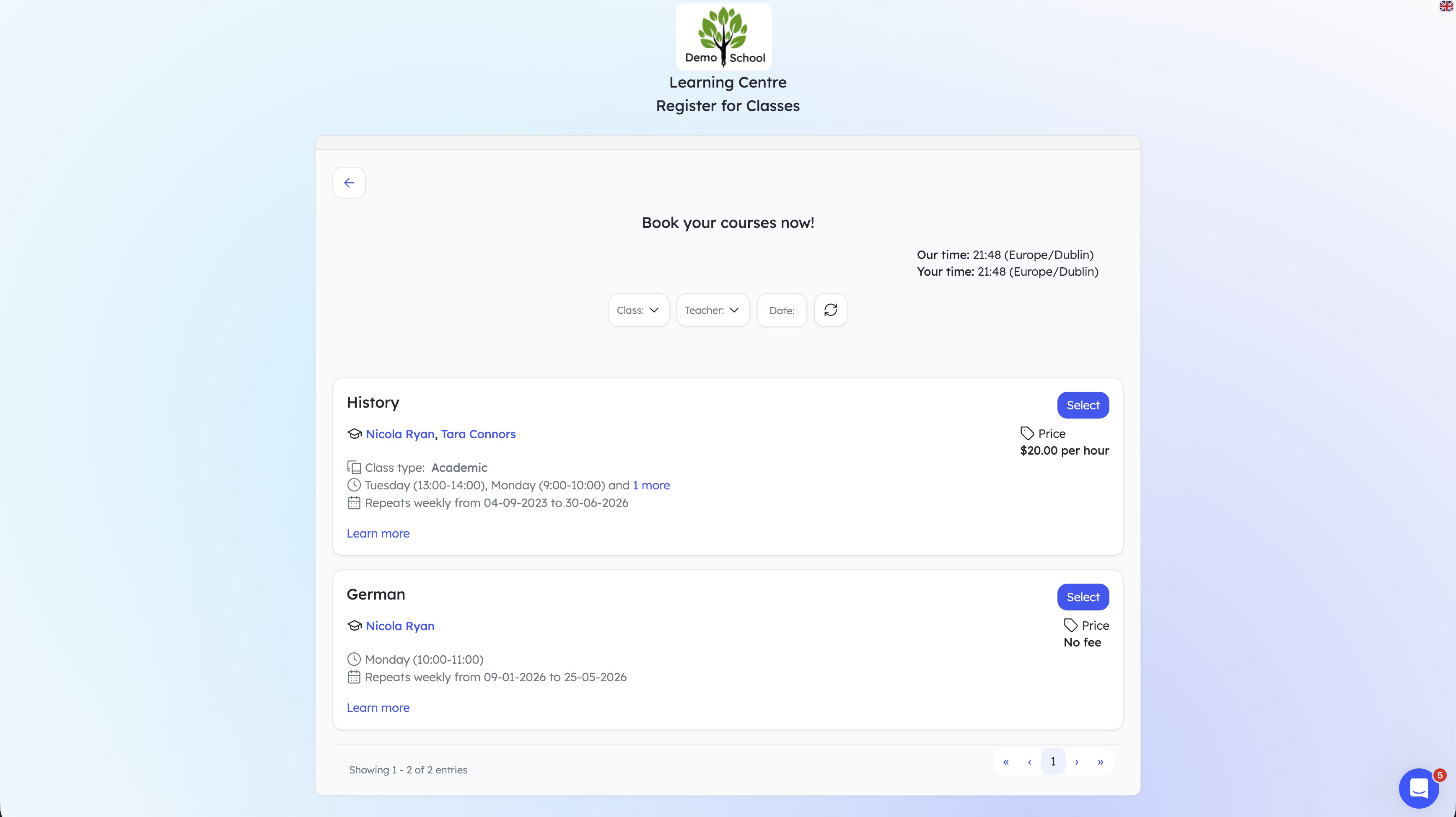
Make weekly classes bookable with set capacity. A booking becomes an enrolment on your timetable automatically.

Run open days, exam prep days and holiday workshops as bookable events, with places and payment handled for you.

Sell bundles of lesson tickets. Students redeem one ticket per drop-in booking and their balance updates itself.

When a lesson is full, students join the queue instead of walking away. A freed place goes to the next in line.

Collect payment as part of the booking. The fee, the receipt and the enrolment are created together, not chased later.
Everything on this page is live in the product today, in every plan.
Class limits are enforced at booking time, so classes cannot be oversold.
Each student's remaining lesson tickets gate what they can book next.
Full lessons take a queue of names instead of turning demand away.
Confirmed bookings appear on the calendar and the class register.
Card payment at checkout confirms the place and records the fee.
First-time bookers create their details as they book; no pre-registration needed.
Capture enquiries with a registration page for new prospects, with automatic invite emails when they convert.
Put your booking page on your website, socials or email signature.
Our own school management glossary warns buyers that a waitlist is surprisingly rare: most school management platforms, including the market leaders, don't have one, and if a vendor claims it you should ask to see it demonstrated. Fair enough. Teach 'n Go's lesson booking waitlist is live in the product, and we will happily demonstrate it on a demo call.
From "make this class bookable" to "paid and on the register" in four steps.
Common questions about online booking in Teach 'n Go:
It is a public booking page where students and parents choose a class, lesson or event and book their place themselves, instead of phoning or emailing the school. In Teach 'n Go the booking feeds straight into your timetable, enrolments and fees, so there is no re-typing.
Yes. You can offer recurring weekly lessons, one-off events and workshops, and drop-in sessions from the same booking page. You decide which classes are bookable and how many places each one has.
You sell a bundle of lesson tickets, for example ten drop-in sessions, and the student redeems one ticket per booking. Teach 'n Go tracks each student's remaining ticket balance and only lets them book while they have tickets left.
Students can join a waitlist for a full lesson. When a place opens up, the next student in the queue can take it. Most school management platforms do not offer a waitlist at all; Teach 'n Go's is live and you can see it demonstrated on a demo call.
Yes. The booking system is part of the core Teach 'n Go platform and is included in every plan, along with scheduling, attendance, messaging and payments.
In minutes, build your first class and share it with your teachers. No credit card required.
In 30 minutes, we’ll show you how Teach 'n Go can transform your school or training centre.
Booking works best connected to scheduling, payments and student records - all in one system.
Build timetables faster, prevent conflicts, and keep staff updated in real time.
Learn more →Accept online payments, generate invoices, and track overdue balances.
Learn more →Capture enquiries with registration forms and track every prospect.
Learn more →Keep student records organised, searchable, and easy to maintain.
Learn more →Send group emails and SMS, and keep a clear history of communication.
Learn more →